Once you’ve received your booking invoice, you can use the information below to make your payment securely. We’ve put together a simple step-by-step guide to help you through the process and make sure your payment reaches us correctly.
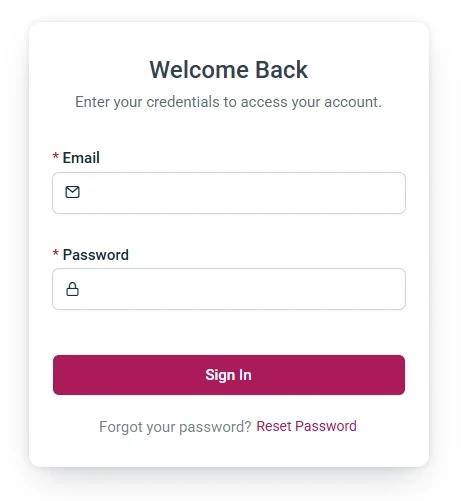
Login
Login to your client account via the portal. If your password has not been received. Use the Reset Password to obtain a new one.
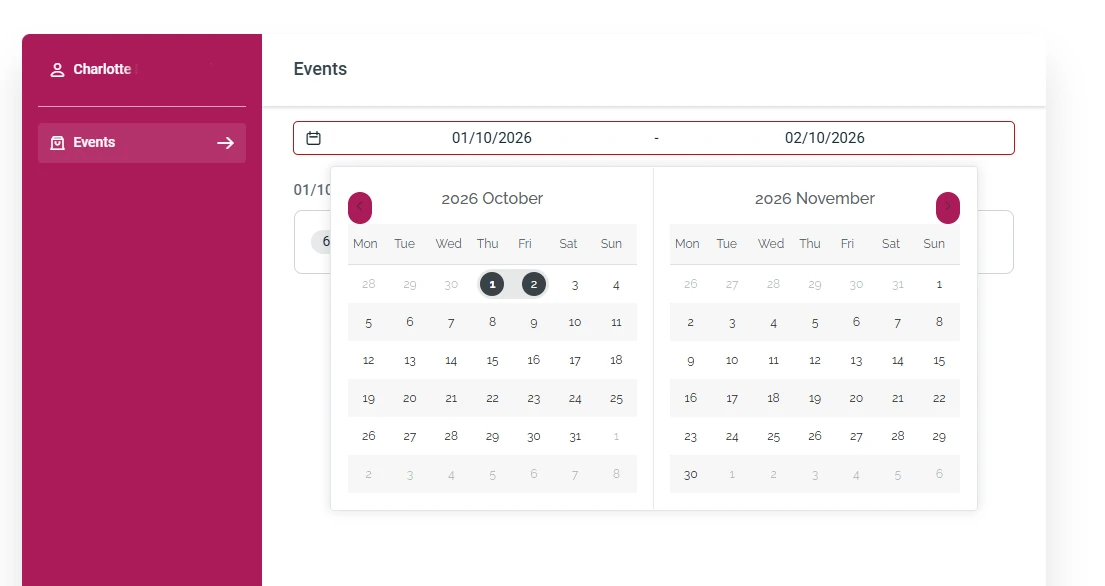
Click on the date/calendar selector near the top under events. A drop down box will appear and then select your events date.
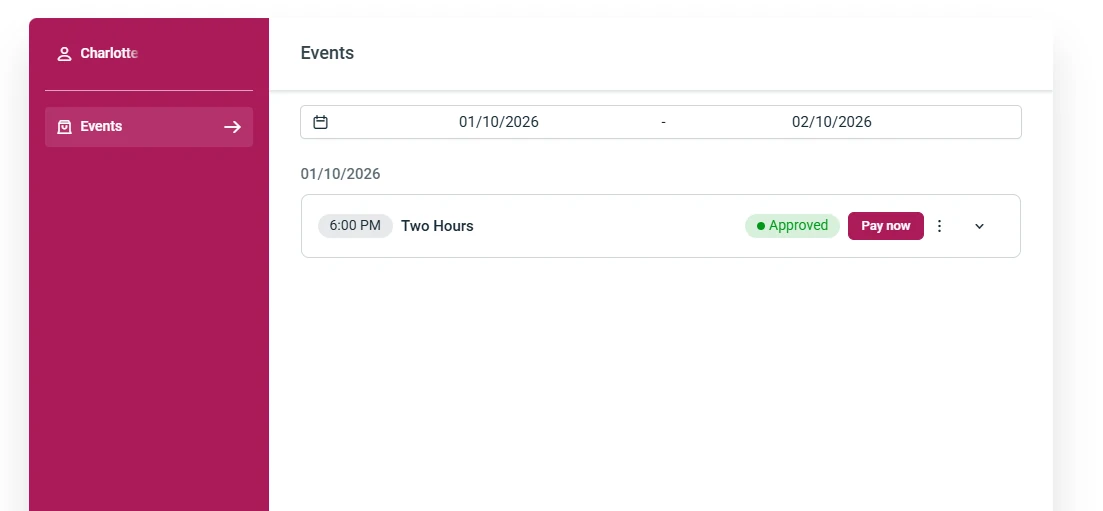
Pay button appears
With the event appearing within the events window. You know have the option to click the 'Pay now' button to the right near the 'Approved' label.
This will then take you to the Stripe payment screen.
This website uses cookies to improve your web experience.